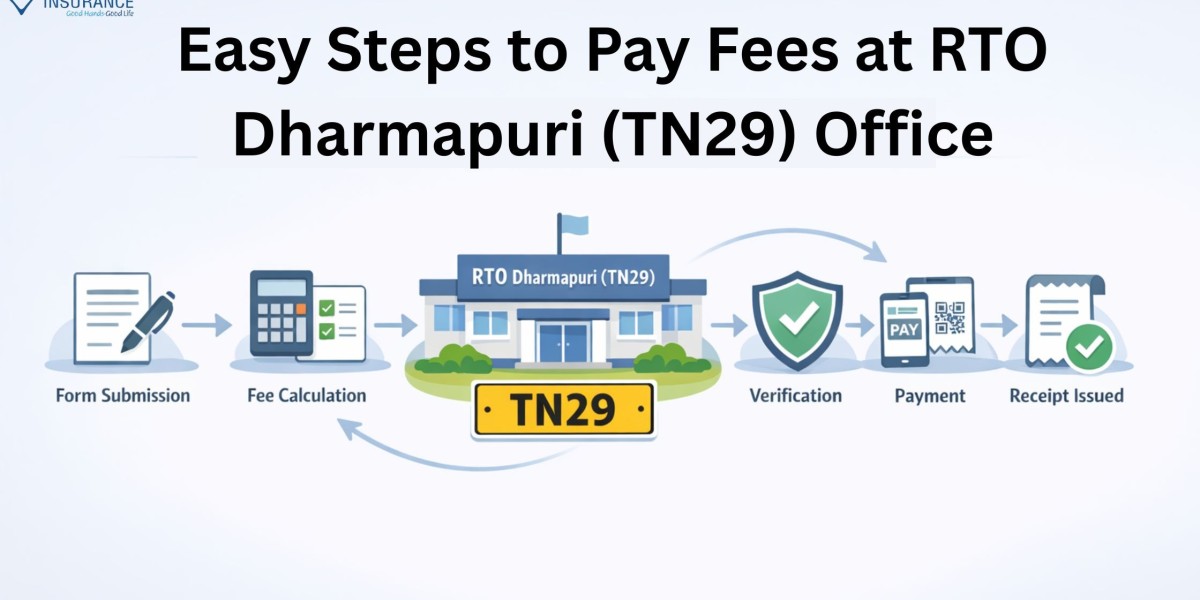

Paying fees at a Regional Transport Office can often feel confusing, especially if you’re unsure about the process, documents, or payment methods. Whether you're registering a vehicle, renewing a driving licence, or paying road tax, understanding the steps can save you time and effort.
If you are dealing with the RTO Dharmapuri (TN29), this guide will walk you through everything you need to know, from fee types to online and offline payment procedures, so you can complete your tasks smoothly without unnecessary delays.
Understanding RTO Dharmapuri (TN29) Services
The RTO Dharmapuri TN29 operates under the Tamil Nadu Transport Department and handles a wide range of vehicle and driver-related services. These include:
- Vehicle registration and transfer
- Driving licence issuance and renewal
- Road tax collection
- Permit issuance
- Fitness certificate approval
- Hypothecation addition/removal
Each of these services involves specific fees that must be paid either online or offline.
Types of Fees You Can Pay at RTO Dharmapuri (TN29)
Before proceeding with payment, it’s important to identify the type of fee you need to pay. Common categories include:
1. Vehicle Registration Fees
- New vehicle registration charges
- Smart card RC fees
- Number plate charges
2. Driving Licence Fees
- Learner’s licence application
- Permanent driving licence
- Renewal or duplicate licence
3. Road Tax
- One-time road tax for private vehicles
- Quarterly tax for commercial vehicles
4. Permit Fees
- Goods carriage permits
- Passenger vehicle permits
5. Fitness Certificate Fees
- Applicable mainly for commercial vehicles
Easy Steps to Pay Fees at RTO Dharmapuri (TN29) Online
Online payment is the most convenient method and helps you avoid long queues.
Step 1: Visit the Official Transport Portal
Go to the official Parivahan or Tamil Nadu Transport Department website.
Step 2: Select Your Service
Choose the service you want:
- Driving Licence
- Vehicle Registration
- Tax Payment
Step 3: Enter Vehicle or Application Details
Provide:
- Vehicle registration number
- Application number
- Chassis number (if required)
Step 4: Verify Fee Details
The system will automatically display the applicable fees.
Step 5: Make Payment
Choose your preferred payment method:
- Net banking
- Debit/Credit card
- UPI
Step 6: Download Receipt
After successful payment, download and save the receipt for future reference.
Offline Fee Payment at RTO Dharmapuri (TN29)
If you prefer visiting the office, follow these steps:
Step 1: Visit the RTO Office
Go to the RTO Dharmapuri office during working hours.
Step 2: Fill Out the Required Form
Collect and fill out the relevant application form.
Step 3: Submit Documents
Attach necessary documents such as:
- ID proof
- Address proof
- Vehicle documents
- Insurance certificate
Step 4: Pay Fees at Counter
Pay the applicable fees at the designated counter.
Step 5: Collect Receipt
Ensure you receive an official receipt after payment.
Documents Required for Fee Payment
Depending on the service, you may need:
- Vehicle Registration Certificate (RC)
- Driving Licence (for DL-related services)
- Valid insurance policy
- Pollution Under Control (PUC) certificate
- Identity and address proof
Keeping these documents ready ensures a smooth process.
Important Tips for Hassle-Free Payment
To avoid delays or errors, keep the following tips in mind:
- Double-check your vehicle or application number before payment
- Always keep a digital and printed copy of the receipt
- Ensure your insurance policy is active
- Use the online method for faster processing
- Visit early in the day if opting for offline payment
Benefits of Paying Fees Online
Online payment is becoming the preferred choice due to its convenience:
- Saves time and effort
- Eliminates long queues
- Available 24/7
- Instant confirmation and receipt
- Secure digital transactions
Common Mistakes to Avoid
Many applicants face delays due to simple mistakes:
- Entering incorrect vehicle details
- Not verifying fee amount
- Ignoring receipt download
- Missing required documents
- Delaying payment deadlines
Avoiding these errors ensures a smooth experience at RTO Dharmapuri (TN29).
Frequently Asked Questions (FAQs)
Q1. Can I pay all RTO fees online for RTO Dharmapuri (TN29)?
Yes, most services like road tax, driving licence fees, and registration charges can be paid online.
Q2. What payment methods are accepted online?
You can use debit cards, credit cards, net banking, and UPI.
Q3. Is it mandatory to visit the RTO after online payment?
It depends on the service. Some services require physical verification or document submission.
Q4. How can I check my fee payment status?
You can check the status on the Parivahan portal using your application or vehicle number.
Q5. What should I do if payment fails but money is deducted?
Wait for 24–48 hours. If the issue persists, contact the RTO or payment gateway support.
Q6. Do I need insurance to pay RTO fees?
Yes, valid vehicle insurance is required for most vehicle-related services.
Conclusion
Paying fees at RTO Dharmapuri (TN29) doesn’t have to be complicated if you understand the process clearly. Whether you choose the online method for convenience or visit the office for direct assistance, following the right steps ensures a smooth and hassle-free experience. Staying informed about fee types, required documents, and payment options helps you avoid delays and complete your tasks efficiently.
When managing vehicle-related responsibilities, having the right insurance partner is equally important. Square Insurance simplifies your journey by offering reliable support and easy policy management, ensuring you stay compliant and protected at all times.
Please Note: - Manage your policies easily with Square Insurance POS Apps on Google Play online anytime, anywhere.



