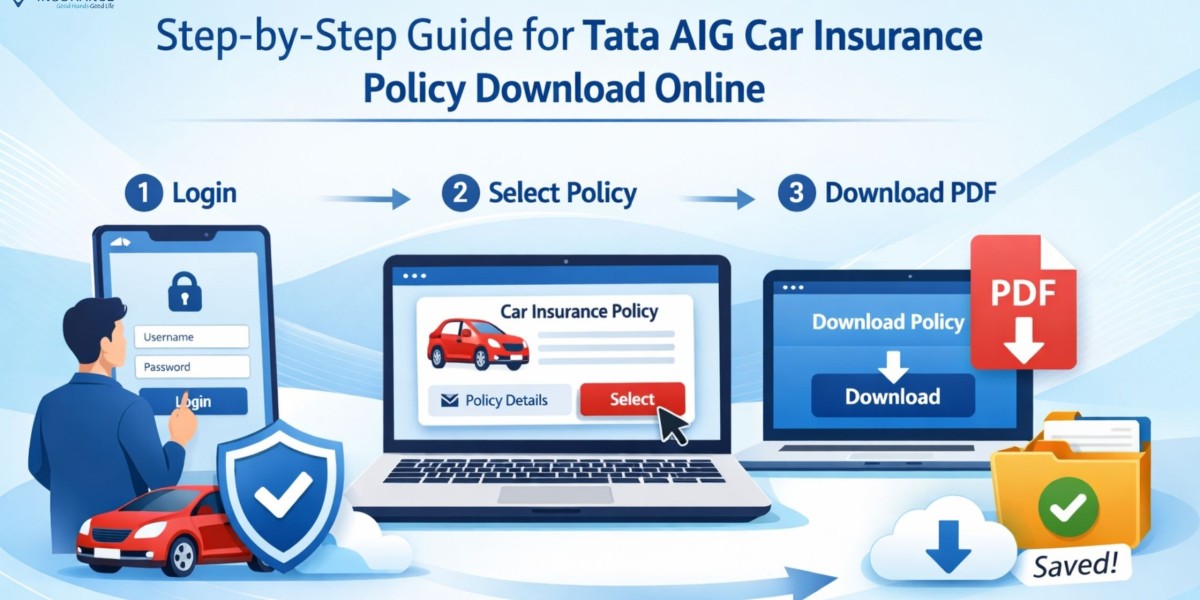

In today’s digital era, managing your insurance documents online has become simple and efficient. Whether you need a soft copy for verification, renewal, or emergency use, downloading your policy online saves both time and effort. If you are looking for a seamless way to complete your tata aig car insurance policy download, this guide will walk you through every step in a clear and structured manner.
Having instant access to your car insurance policy ensures that you remain compliant with legal requirements while enjoying uninterrupted coverage. Let’s explore how you can easily download your Tata AIG car insurance policy online.
Why Download Your Tata AIG Car Insurance Policy Online?
Before diving into the steps, it’s important to understand the benefits of downloading your policy document:
- Instant Access: Get your policy anytime, anywhere
- Paperless Convenience: No need to maintain physical documents
- Easy Sharing: Share via email or messaging apps when required
- Secure Storage: Keep a backup on your device or cloud storage
- Quick Verification: Useful during traffic checks or claims
Methods for Tata AIG Car Insurance Policy Download
There are multiple ways to download your policy online. You can choose the method that suits you best.
1. Download via Official Website
Follow these steps to download your policy directly from the insurer’s website:
- Visit the official website of Tata AIG
- Navigate to the “Customer Login” section
- Enter your registered mobile number/email ID
- Verify using OTP or password
- Go to “My Policies”
- Select your car insurance policy
- Click on “Download Policy Document”
Once downloaded, you can save the file on your device for future use.
2. Download via Email
When you purchase or renew your policy, Tata AIG sends a copy to your registered email ID.
Steps to follow:
- Open your email inbox
- Search for “Tata AIG Car Insurance Policy”
- Locate the policy document
- Download the attached PDF
This is one of the quickest ways if you already have access to your registered email.
3. Download via Mobile App
Tata AIG also offers a mobile application for policy management.
Steps:
- Download the Tata AIG mobile app from Google Play Store or App Store
- Log in using your registered credentials
- Navigate to “Policies”
- Select your car insurance plan
- Tap on “Download”
The mobile app is ideal for users who prefer managing policies on the go.
4. Download via Policy Number
If you don’t want to log in, you can still download your policy using basic details:
- Visit the policy download section on the website
- Enter your policy number
- Provide registered mobile number/email
- Verify using OTP
- Download the policy document
Details Included in Your Policy Document
When you complete your tata aig car insurance policy download, ensure that the document contains the following details:
- Policy number
- Insured vehicle details
- Policyholder name and contact details
- Coverage type (Comprehensive/Third-party)
- Premium amount
- Policy validity period
- Add-ons (if any)
- Claim process information
Verifying these details helps avoid issues during claims or renewals.
Common Issues While Downloading Policy
Sometimes users may face minor issues while downloading their policy. Here are some common problems and solutions:
1. Incorrect Login Credentials
Make sure you are entering the correct mobile number or email ID.
2. OTP Not Received
Check network connectivity or try resending OTP after a few minutes.
3. Policy Not Found
Ensure that you are using the correct policy number or registered details.
4. Technical Errors
Clear browser cache or try using a different browser/device.
Tips for Safe and Easy Policy Management
To ensure smooth access to your insurance documents, follow these tips:
- Save a copy of your policy in multiple locations
- Keep your registered mobile number active
- Update your email ID with the insurer
- Use strong passwords for login
- Regularly check policy validity and renewal dates
Importance of Keeping Your Policy Handy
Carrying a valid insurance policy is mandatory under Indian motor laws. A digital copy is legally accepted and can be shown during:
- Traffic police checks
- Vehicle inspections
- Accident claims
- Insurance renewals
Having your policy readily available ensures peace of mind and legal compliance.
Frequently Asked Questions (FAQs)
Q1. How can I complete tata aig car insurance policy download without login?
You can download it using your policy number and registered mobile/email by verifying through OTP.
Q2. Is a digital copy of the car insurance policy valid?
Yes, a digital copy is legally valid and accepted by traffic authorities across India.
Q3. What should I do if I lose my policy document?
You can easily download it again online through the website, mobile app, or email.
Q4. Can I download my policy on my mobile phone?
Yes, you can use the Tata AIG mobile app or browser to download your policy.
Q5. How long does it take to download the policy?
It usually takes just a few minutes if you have the correct details.
Conclusion
Downloading your car insurance policy online is no longer a complicated task. With multiple options such as website access, email retrieval, and mobile apps, the process of tata aig car insurance policy download is designed to be quick and user-friendly. By keeping a digital copy handy, you ensure compliance, convenience, and peace of mind at all times.
For a smoother insurance experience and expert assistance, Square Insurance can help you manage and access your policies efficiently.
Please Note: Manage your policies easily with Square Insurance POS Apps on Google Play online anytime, anywhere.



